 Carvomi
Keyboard
Tap a text box in an app and a keyboard appears on the car screen. There are two kinds.
Your phone’s keyboard (default)
The keyboard you already use on your phone shows up on the car screen, with all its languages and voice input. Nothing to set up.
Carvomi’s car keyboard
Big keys that are easy to hit on a car touchscreen. To use it, turn on “Use the car-screen keyboard” in the phone app’s Settings.
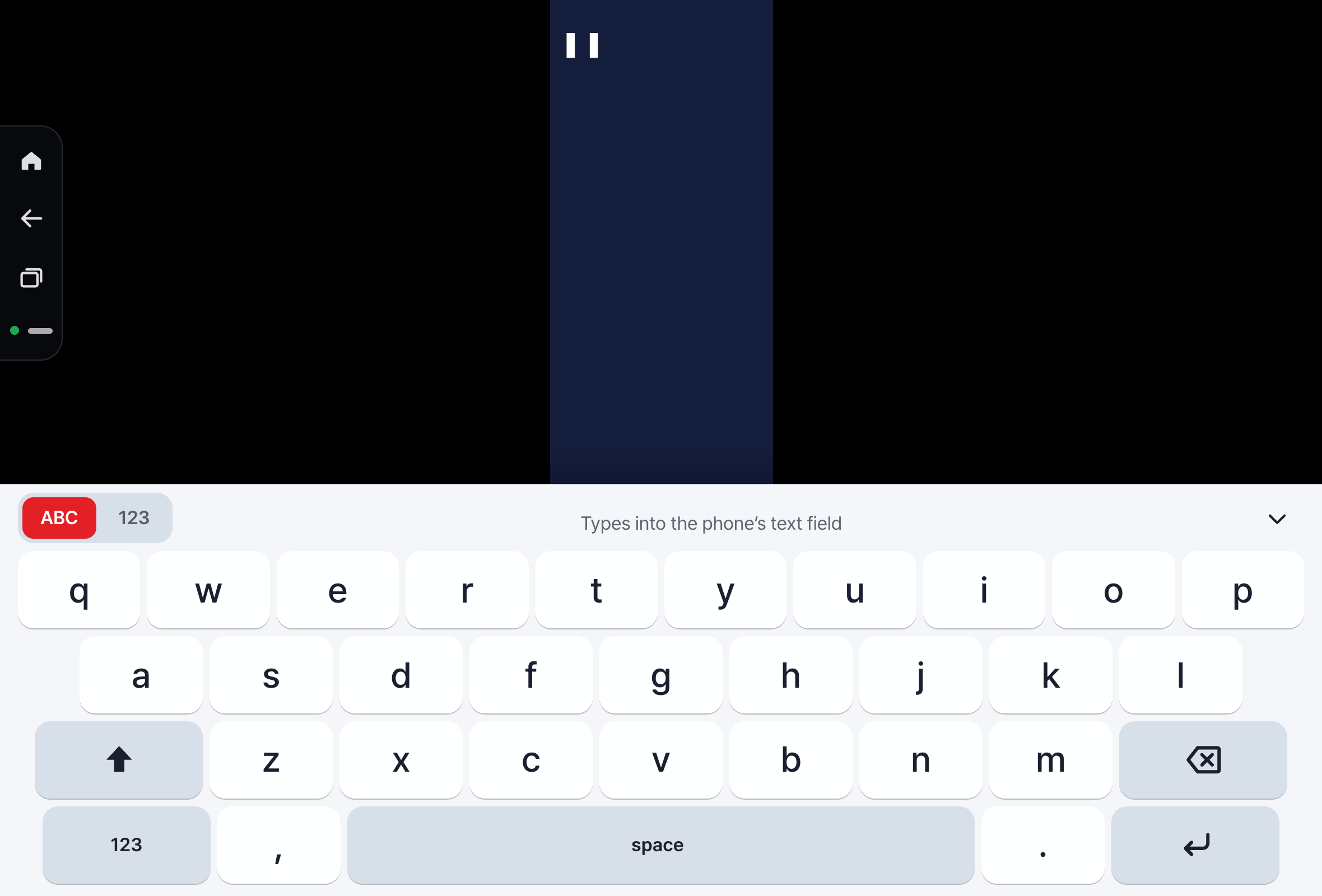
Switch layouts with the tabs at the top of the keyboard:
- ABC: an English (QWERTY) keyboard. Press and hold a key for letters like é, ü or ñ.
- 123: numbers and symbols
Korean (Cheonjiin and 2-set)
Korean phones get Carvomi’s keyboard by default, with two Korean layouts:
- Cheonjiin (천지인): 12 big keys. Vowels are built from
ㅣ,ㆍandㅡ(for exampleㅣthenㆍmakes ㅏ). Press a consonant key again to cycle (ㄱㅋ→ ㄱ, ㅋ, ㄲ). - 2-set (두벌식): the standard Korean computer layout.
Pick which Korean layout opens first in the car screen settings → Keyboard.
Still stuck? Email carvomi@gmail.com with your diagnostic code (DX-…).